Managing customer information with spreadsheets, notebooks, emails, and messaging apps can become difficult as a business grows.
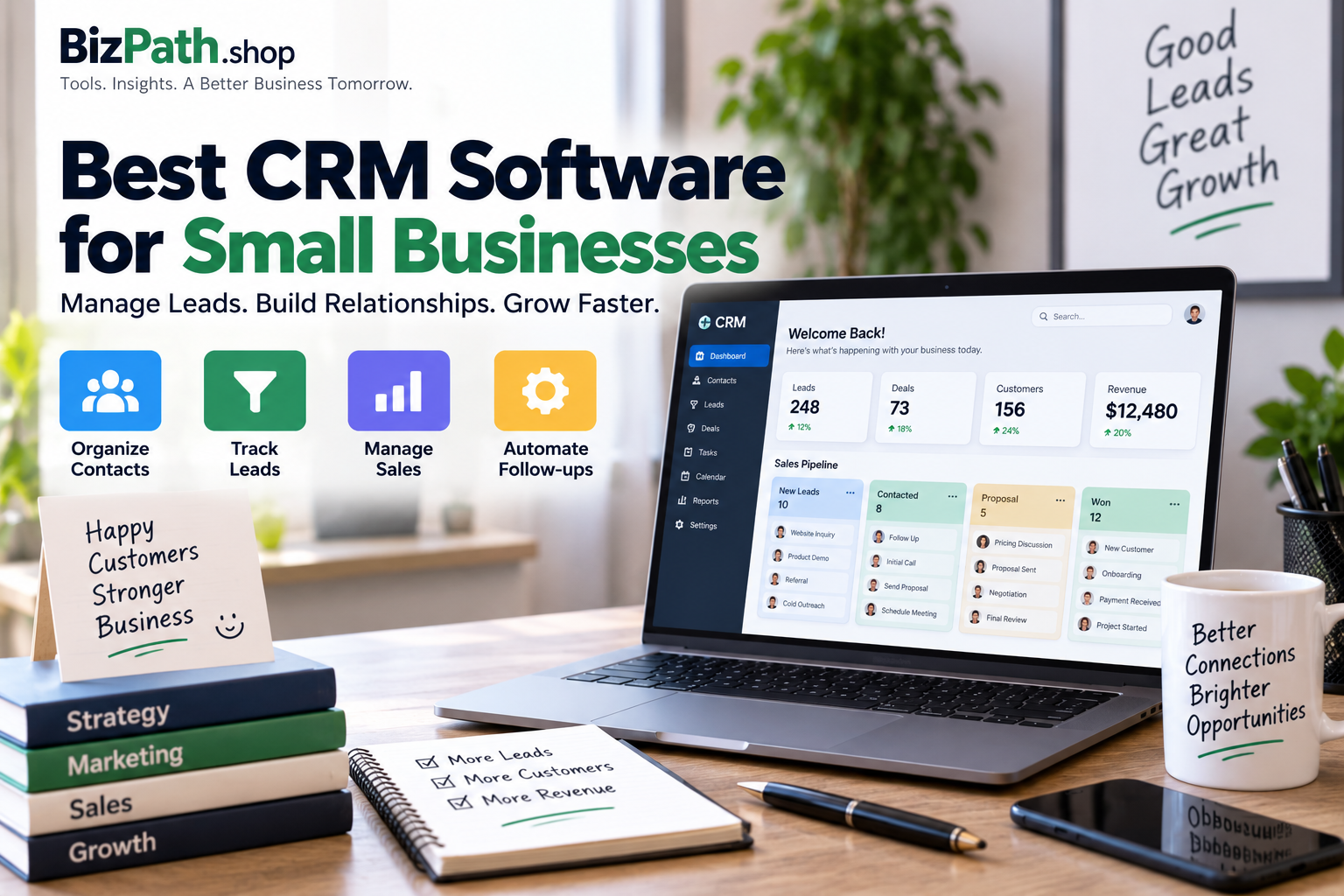
A customer relationship management (CRM) system gives businesses one central place to organize contacts, track leads, manage sales opportunities, record customer interactions, and follow up with prospects.
But not every CRM is designed for the same type of business. Some platforms focus on simple sales pipelines, while others combine sales, marketing, customer service, automation, and reporting.
In this guide, we’ll compare some of the best CRM software for small businesses in 2026 and explain how to choose the right option for your team.
Quick Comparison
| CRM Software | Best For | Main Strength |
|---|---|---|
| HubSpot CRM | Most small businesses | Free CRM and all-in-one growth tools |
| Pipedrive | Sales-focused teams | Visual sales pipeline |
| Zoho CRM | Budget-conscious businesses | Features and customization |
| Freshsales | Growing sales teams | Sales automation and AI features |
| monday CRM | Visual teams | Flexible workflows and customization |
There is no single CRM that is perfect for every business. The best choice depends on your sales process, team size, budget, required integrations, and how much customization you need.
What Is CRM Software?
CRM stands for Customer Relationship Management.
CRM software helps businesses organize information about current and potential customers.
Instead of keeping customer information across spreadsheets, email accounts, notes, and different applications, a CRM can bring much of that information into one system.
A CRM can help you manage:
- Customer contacts
- Leads
- Sales opportunities
- Follow-ups
- Emails
- Calls
- Meetings
- Sales pipelines
- Customer interactions
- Tasks
- Reports
- Automations
For a small business, the biggest benefit is often organization.
A good CRM makes it easier to understand which leads need attention and where each customer is in the sales process.
Why Do Small Businesses Need CRM Software?
A CRM isn’t only useful for large companies.
Small businesses can benefit from CRM software because even a relatively small number of customers can become difficult to manage manually.
For example, imagine receiving leads through:
- Your website
- Phone calls
- Referrals
Without a centralized system, some leads may not receive a follow-up.
A CRM can help organize these conversations and create a clearer sales process.
1. HubSpot CRM — Best Overall for Many Small Businesses
HubSpot offers a free CRM designed specifically for startups and small businesses.
Its CRM can organize customer information, track interactions, manage deals, and support sales and marketing workflows. HubSpot says its free CRM has no expiration date and does not require a credit card to get started. :contentReference[oaicite:1]{index=1}
Best For
- Startups
- Small businesses
- Businesses that want to start with a free CRM
- Teams combining sales and marketing
- Businesses that want room to expand
Key Features
Depending on the products and plans you use, HubSpot can provide:
- Contact management
- Deal pipelines
- Email tools
- Meeting scheduling
- Tasks
- Reporting
- Marketing tools
- Customer service features
- Automation
- Integrations
Pros
- Free CRM option
- Easy starting point for small teams
- Large ecosystem
- Sales and marketing tools can work together
- Can scale as the business grows
Cons
- Advanced features can require paid plans
- The wider platform can become complex
- Businesses may pay more as they add advanced functionality
Our Take
HubSpot is one of the strongest options for a small business that wants to start with a free CRM and potentially expand into marketing, sales, and customer service tools.
2. Pipedrive — Best for Sales Pipeline Management
Pipedrive is designed around the sales process.
Its visual pipeline makes it easy to see where deals are and what actions need to happen next.
Best For
- Sales teams
- Agencies
- B2B businesses
- Businesses with a defined sales process
- Teams that want a simple visual pipeline
Key Features
Pipedrive can help with:
- Lead management
- Deal pipelines
- Sales activities
- Contact management
- Email integration
- Sales reporting
- Workflow automation
- Sales forecasting
- Integrations
Pros
- Visual sales pipeline
- Sales-focused interface
- Useful activity management
- Easy to understand for sales teams
- Strong integration ecosystem
Cons
- No permanent free plan on many plans
- Primarily focused on sales
- Businesses needing advanced marketing or service tools may need additional software
Our Take
If your biggest CRM requirement is managing leads and sales opportunities, Pipedrive is worth considering.
3. Zoho CRM — Best for Features and Value
Zoho CRM is part of the broader Zoho software ecosystem.
It provides tools for contact management, sales pipelines, automation, reporting, and customer engagement.
Current 2026 comparisons frequently include Zoho CRM among the strongest options for small businesses looking for a balance between features, customization, and cost. :contentReference[oaicite:2]{index=2}
Best For
- Budget-conscious businesses
- Small teams
- Businesses that need customization
- Companies already using Zoho products
- Businesses that want automation
Key Features
Depending on the plan, Zoho CRM can provide:
- Contact management
- Lead management
- Sales pipelines
- Workflow automation
- Reports
- Dashboards
- Email tools
- Sales forecasting
- Integrations
- AI-assisted features
Pros
- Broad feature set
- Strong customization
- Large Zoho ecosystem
- Competitive pricing options
- Automation capabilities
Cons
- Can require more setup than simpler CRMs
- Interface may take some time to learn
- Advanced features can require higher plans
Our Take
Zoho CRM can be a strong choice if you want a feature-rich CRM without immediately moving into enterprise-level software.
4. Freshsales — Best for Growing Sales Teams
Freshsales is the CRM platform from Freshworks.
It focuses on sales management and provides tools for managing contacts, leads, communication, and sales activities.
Best For
- Growing sales teams
- Small businesses
- Businesses that want sales automation
- Teams already using Freshworks products
Key Features
Freshsales can provide:
- Contact management
- Lead scoring
- Deal management
- Email tracking
- Sales pipelines
- Workflow automation
- Reporting
- AI-assisted sales features
- Communication tools
Pros
- Modern interface
- Useful sales features
- Automation capabilities
- Freshworks ecosystem
- Suitable for growing sales teams
Cons
- Some advanced features require higher plans
- Businesses may need additional Freshworks products for broader customer-service needs
Our Take
Freshsales is worth considering if you want a modern sales CRM with automation features and room to grow.
5. monday CRM — Best for Visual and Flexible Workflows
monday CRM is built on the monday.com Work Management platform.
Its visual board-based approach can be useful for businesses that want to customize how they manage leads and deals.
Best For
- Visual teams
- Small businesses already using monday.com
- Teams that want customizable workflows
- Businesses combining CRM and project workflows
Key Features
monday CRM can provide:
- Contact management
- Deal pipelines
- Custom boards
- Sales workflows
- Automations
- Dashboards
- Reporting
- Integrations
Pros
- Highly visual
- Flexible workflows
- Easy to customize
- Useful for teams already using monday.com
- Can connect CRM and operational workflows
Cons
- May be unnecessary if you only need a simple CRM
- Some CRM features can be less specialized than dedicated sales platforms
- Pricing depends on plan and team size
Our Take
monday CRM makes the most sense when your team already uses monday.com or wants a highly visual system for managing customers and business workflows.
CRM Software Comparison
| Feature | HubSpot | Pipedrive | Zoho CRM | Freshsales | monday CRM |
|---|---|---|---|---|---|
| Contact Management | Yes | Yes | Yes | Yes | Yes |
| Lead Management | Yes | Yes | Yes | Yes | Yes |
| Sales Pipeline | Yes | Strong | Yes | Yes | Yes |
| Email Integration | Yes | Yes | Yes | Yes | Yes |
| Automation | Available | Available | Strong | Strong | Strong |
| Reporting | Yes | Yes | Yes | Yes | Yes |
| Free Option | Yes | No | Available | Available | No |
| Best For | All-around CRM | Sales teams | Value & customization | Growing sales teams | Visual workflows |
Features and plan availability can change, so check the provider’s current plan details before subscribing.
What Features Should Small Businesses Look For in a CRM?
Not every CRM feature is important for every company.
Instead of choosing the platform with the longest feature list, focus on capabilities that solve your actual business problems.
Contact Management
A CRM should make it easy to store and organize customer information.
Look for features such as:
- Contact details
- Company information
- Notes
- Interaction history
- Custom fields
- Contact search
- Duplicate management
A centralized customer record can make it easier for team members to understand previous conversations.
Lead Management
Lead management helps businesses organize potential customers.
Useful features may include:
- Lead capture
- Lead qualification
- Lead assignment
- Lead status
- Follow-up reminders
- Lead scoring
This can prevent promising prospects from getting lost.
Sales Pipeline
A sales pipeline shows where each potential deal currently stands.
For example:
New Lead → Contacted → Qualified → Proposal → Negotiation → Won
A visual pipeline makes it easier to identify deals that need attention.
Email Integration
Email integration can save time by connecting customer conversations to CRM records.
Some CRMs can:
- Record email activity
- Provide templates
- Track certain email interactions
- Organize conversations
- Automate follow-ups
Automation
Automation can reduce repetitive work.
For example, a CRM could automatically:
- Assign new leads
- Create follow-up tasks
- Send notifications
- Update deal stages
- Trigger emails
- Move records through workflows
Automation becomes particularly valuable as lead volume increases.
Reporting and Analytics
CRM reports can help you understand your sales process.
Useful reports may include:
- Leads by source
- Deals by stage
- Sales performance
- Conversion rates
- Revenue forecasts
- Sales activity
- Pipeline value
Free CRM vs. Paid CRM
A free CRM can be a good starting point for a small business.
Free plans may provide enough functionality for:
- Freelancers
- Solopreneurs
- Startups
- Very small sales teams
However, free plans often have limitations.
These may include:
- Fewer automation features
- Limited reporting
- Fewer integrations
- User restrictions
- Storage limitations
- Advanced features locked behind paid plans
Paid CRM software can become worthwhile when the business needs more automation, reporting, integrations, users, or customization.
CRM for Freelancers
Freelancers don’t usually need a complicated CRM.
Important features may include:
- Contact management
- Lead tracking
- Follow-up reminders
- Email integration
- Simple pipelines
- Task management
A lightweight CRM can help freelancers keep track of potential clients without adding unnecessary administrative work.
CRM for Small Sales Teams
Sales teams typically need more advanced pipeline features.
Important capabilities can include:
- Lead assignment
- Deal stages
- Sales activities
- Team dashboards
- Sales forecasting
- Automation
- Email integration
Pipedrive, HubSpot, Zoho CRM, and Freshsales can all be worth considering depending on the team’s workflow and budget.
CRM for Agencies
Agencies often manage multiple clients and prospects simultaneously.
A CRM can help organize:
- Leads
- Client information
- Sales opportunities
- Proposals
- Follow-ups
- Communication
- Project handoffs
Agencies may also benefit from CRM integrations with project management, accounting, email marketing, and communication tools.
CRM for Ecommerce Businesses
Ecommerce businesses may have different CRM requirements.
They may need to connect customer information with:
- Orders
- Purchase history
- Email marketing
- Customer support
- Ecommerce platforms
- Marketing campaigns
A CRM that integrates with the existing ecommerce technology stack can make customer information more useful.
How to Choose the Best CRM for Your Business
Before choosing a CRM, ask a few important questions.
How Big Is Your Team?
A solo business owner may need only basic contact and lead management.
A larger team may require permissions, assignment rules, reporting, and collaboration features.
What Is Your Sales Process?
If you have a simple sales process, a basic pipeline may be enough.
If you have multiple sales stages, teams, territories, or complex workflows, you may need a more advanced CRM.
Do You Need Marketing Features?
Some businesses only need sales CRM functionality.
Others want marketing automation, email campaigns, lead generation, and customer service in the same ecosystem.
Choose according to your actual needs.
What Integrations Do You Need?
Check whether the CRM connects with the tools you already use.
Common integrations include:
- Gmail
- Outlook
- Google Calendar
- Email marketing platforms
- Accounting software
- Ecommerce platforms
- Communication tools
- Project management software
How Easy Is It to Use?
This may be one of the most important considerations.
A CRM with hundreds of features is useless if your team doesn’t want to use it.
Look for:
- Simple navigation
- Easy setup
- Useful documentation
- Good onboarding
- Clear dashboards
Common CRM Mistakes
Choosing Too Many Features
More functionality does not automatically mean a better CRM.
Small businesses should focus on features they will actually use.
Not Defining the Sales Process First
Before configuring a CRM, decide how leads move through your sales process.
For example:
New Lead → Qualified → Proposal → Negotiation → Won/Lost
This makes CRM setup much easier.
Ignoring Team Adoption
A CRM requires consistent use.
If employees continue managing customer information through personal spreadsheets and messages, the CRM won’t provide accurate information.
Not Checking Integrations
Always verify that the CRM works with your existing business tools.
Moving to a CRM that doesn’t integrate with important systems can create more manual work.
Choosing Only Based on Price
The cheapest CRM isn’t always the best value.
Consider:
- Features
- User limits
- Automation
- Integrations
- Support
- Reporting
- Scalability
Frequently Asked Questions
What is the best CRM for a small business?
There isn’t one CRM that works best for every business. HubSpot is a strong all-around option, Pipedrive is particularly useful for sales-focused teams, Zoho CRM offers strong customization and value, Freshsales is useful for growing sales teams, and monday CRM can be a good fit for visual workflows.
Is HubSpot CRM really free?
HubSpot offers a free CRM with no expiration date. Additional advanced products and features are available through paid plans. :contentReference[oaicite:3]{index=3}
Do small businesses really need a CRM?
Not every small business needs a dedicated CRM. However, a CRM can become useful when a business has multiple leads, customers, sales activities, or team members who need access to shared customer information.
What is the easiest CRM for a small business?
Ease of use depends on the business and workflow. HubSpot and Pipedrive are often considered accessible starting points, while more customizable platforms may require additional setup.
Can I use a CRM for free?
Yes. Several CRM providers offer free plans or free tiers, although available features and user limits vary.
Is CRM software worth the cost?
CRM software can be worthwhile if it helps your business organize leads, improve follow-ups, reduce manual work, and manage customer relationships more effectively.
Can CRM software replace spreadsheets?
For customer and sales management, a CRM can replace many spreadsheet-based workflows. However, spreadsheets can still be useful for specialized calculations and tasks outside the CRM.
How long does it take to set up a CRM?
A simple CRM setup can potentially be completed quickly, while a more customized implementation can take considerably longer. The amount of work depends on data migration, workflows, integrations, permissions, and automation.
Final Verdict
The best CRM software for a small business is the platform your team can actually use consistently.
- HubSpot CRM — strong all-around option and a useful free starting point
- Pipedrive — excellent for sales-focused teams
- Zoho CRM — strong choice for value and customization
- Freshsales — useful for growing sales teams
- monday CRM — a good option for visual and customizable workflows
Before choosing a CRM, evaluate your sales process, team size, budget, integrations, automation requirements, and future growth.
The goal isn’t to find the CRM with the most features.
The goal is to find the CRM that makes it easier to organize leads, follow up with customers, close deals, and grow your business.